
Download Delta Executor Key [Official Method 2025]
Have you ever downloaded Delta Executor and got stuck at the part where it asks for a key? It feels like hitting a wall right when you are excited to start using it. You are ready to run Roblox scripts, but suddenly there is this key system in your way.
Delta Executor Key is an important part of using the Delta app. If you want to run scripts in Roblox using Delta Executor, then you need a working key. The tool will not open or work properly without this key. I will explain what the Delta Key is, why it matters, and exactly how to get it step by step.

What is Delta Executor Key?
The Delta Executor Key is a special code or password that lets a user open and use the Delta Roblox Executor app. Delta Executor is a tool used in Roblox that allows players to run custom scripts or small programs while playing games.
The app requires users to enter this key first to protect the system from misuse and uncontrolled access. It adds a layer of control to prevent many people from using it at once or sharing hacked scripts.

How to Download Delta Executor Key (Step-by-Step)
This delta key is a major part of your tool so it is necessary to understand how to download this. Below, I will share some easy steps about how to get delta key:
Step 1: Open a Roblox Game
First, open Roblox and start any game you like. When the game is running, this Executor will detect that it is ready and show a message that says “Get Key.” This tells your device to create a link that you will use to get the key next.

Step 2: Copy the Key-Link
A small window will appear in the Delta overlay saying “Get Key.” Tap it, and a link is copied to your clipboard. This link is special, as it has the info needed to produce your unique key.

Step 3: Open a Web Browser
Next, open any web browser like Chrome or Safari. Paste the link you copied into the address bar, then press “Go.” This opens a web page that starts the key-generation process.
Step 4: Pass the Cloudflare Check
The site might ask you to confirm you are not a robot. Mostly, this means clicking a small box that says “I’m human” and waiting about 5 seconds until it allows you to move on. After that, the site sends you onward to another link service like Linkvertise.
Step 5: Follow Linkvertise Steps
On the Linkvertise page, you will need to complete a few small tasks. These can include:
- Clicking “I’m interested” or “Learn more”
- Visiting any advertisement or partner site
- Then closing those tabs and clicking “I have done it”
After you do this, the key page will load automatically.
Step 6: Copy the Delta Executor Key
Once the page finishes loading, it will show your Delta Executor Key. There will be a “Copy” button, so you have to just click it to save the key to your clipboard.

Step 7: Paste the Key Into Delta Executor
Go back to the Roblox game with Delta Roblox Executor still open. It will auto-paste your new key or give you a spot to do so. Just paste and confirm. Now your Roblox Executor is unlocked and ready to run scripts.
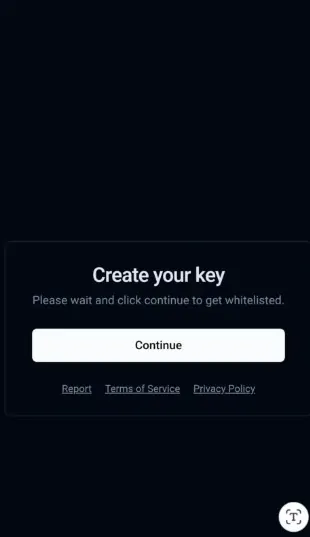

Common Issues While Getting the Key & How to Fix Them
Sometimes, getting the Delta Key does not go as smoothly as expected. You might run into loading problems, error messages, or pages that just will not move forward. But these issues can be solved easily. I will tell you the most common problems you can face and how you can solve each one step by step.
- Stuck on Linkvertise Page
Many users get stuck on the Linkvertise page because they miss a step. For example, they may not click the “Learn more” or “Discover Articles” buttons properly.
Fix: you have to carefully follow each step on the page. Wait 5-10 seconds, complete the task, then click “I have done it” to move forward.
- Key Page Not Loading
Sometimes, after completing the tasks, the key page does not open. This can happen due to slow internet or blocked pop-ups.
Fix: You should check that your internet is stable and pop-ups are allowed in your browser settings. You can also refresh the page and try again.
- Wrong Key or Key Not Working
You may get an invalid or expired key message if the page glitches or you copied the wrong text.
Fix: You have to go through the key generation steps again from the start. Always use the latest link from the Delta Executor app, and do not copy anything manually unless the key is clearly shown.
Final Thoughts
To sum it up, getting the Delta Executor Key is simple once you understand the steps. You just need to open a Roblox game, copy the key link, complete a few quick tasks, and then paste the key back into the app. With the right steps, you will have Delta Executor running smoothly in no time.